

Updated
Send a Claude artifact to a client who has no Claude account
By João Saraiva
You built a dashboard, a calculator or a proposal in Claude, and the person it is for doesn't use Claude. Here is what each way of sending it does at their end, starting with the one Claude already has.
Start with Claude's own link
Claude can publish an artifact made in a chat to a public link, on its Free, Pro and Max plans. On Team and Enterprise it is Share & copy link instead, and what you make stays inside your organization unless an Owner turns on external sharing.
Who can open that link depends on what you published. A published chat artifact opens for anyone with the link, without a Claude account, and they are asked to sign up only for the parts of it that use Claude. Other shared artifacts need a Claude account to open, even with the link. All of this is from Anthropic's help article on publishing and sharing, read on 13 October 2026.
So check before you send it. Open the link in a private browser window, where you are not signed in to Claude. If it opens and works there, it will for your client too, and Claude's link may be all you need. Look elsewhere when it asks for an account, or when your organization's settings keep it inside the organization.
What the usual workarounds lose
- A screenshot or a PDF. The client sees a picture of it. A calculator stops calculating, a filter stops filtering, and a chart can't be hovered.
- The code itself. A
.jsxor.tsxfile is a component, not a page, and no browser runs it as it is. Here is why a React file from Claude shows a blank page. - One HTML file, as an attachment. Asking Claude to rewrite it as a single HTML page works for simple ones. Attached to an email, it opens from the client's downloads, where some of what a page does is blocked, and every change means sending a new file while the old one stays in their inbox. More on what each way of sending an HTML file does.
Send it at a link of its own
- Copy the code from Claude, or download the file.
- Paste it into the box at the foot of this page. A React component is compiled when you publish, with React, Tailwind and the shadcn/ui components it imports. An HTML file is served as it is. To skip the copying, publish from inside the chat instead: it takes a minute to set up.
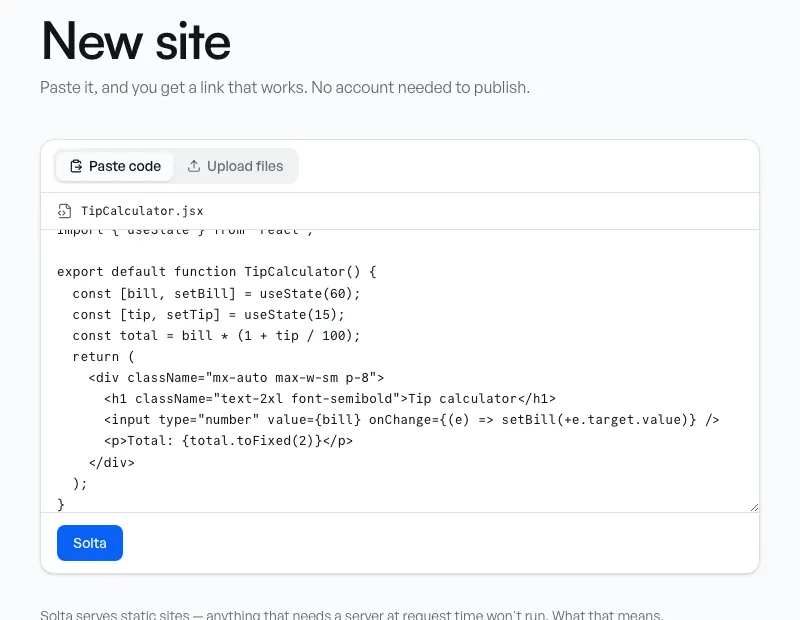
The paste box, with a React component from Claude in it. - The site is live at once, at its own address on solta.site. No account is needed to try it: an unclaimed site stays up for 24 hours, and claiming it, with one click and a link sent to your email, keeps the same address.
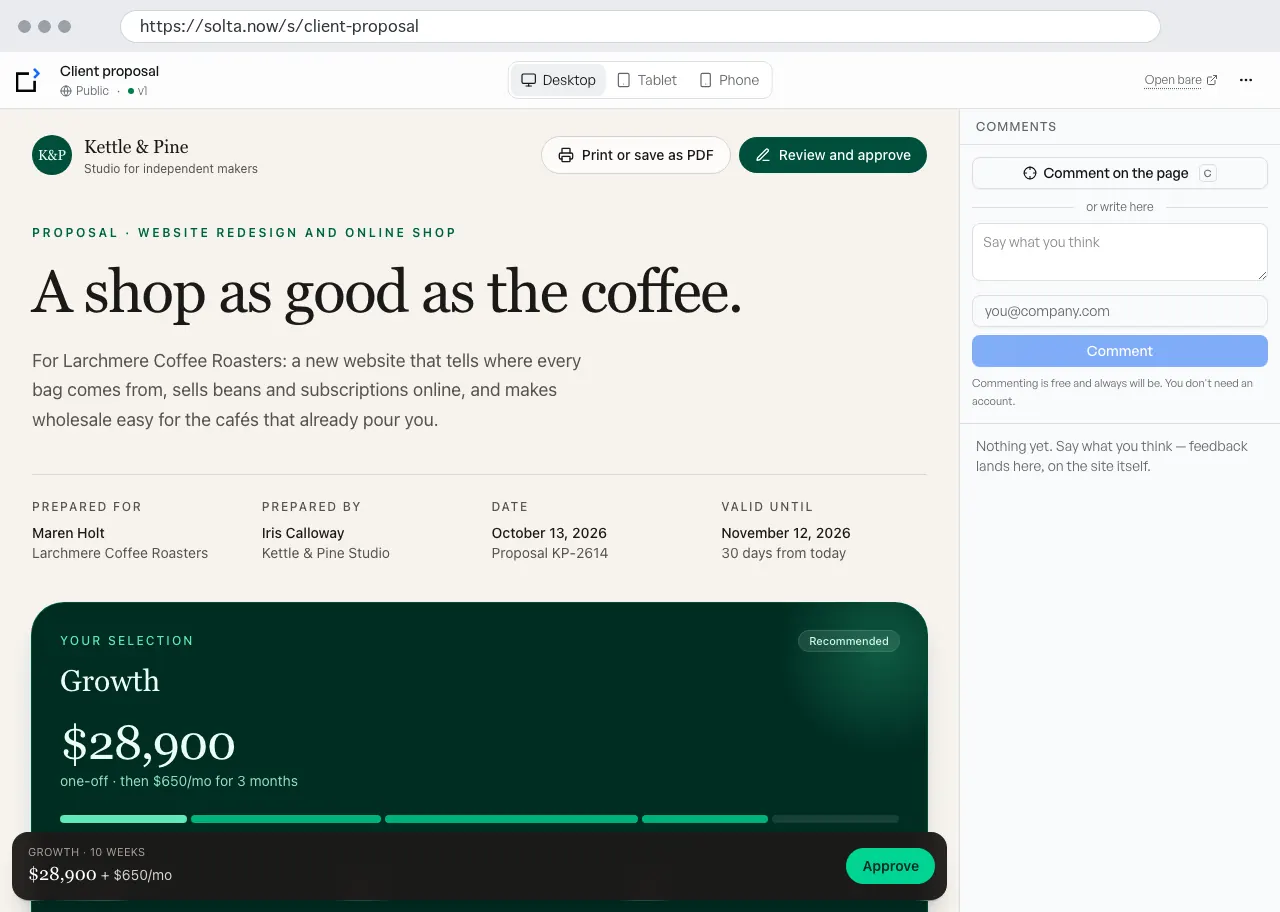
The site in Solta, where you work on it. People you ask for feedback can comment here without an account. - Choose who can open it, below, and send your client the link.
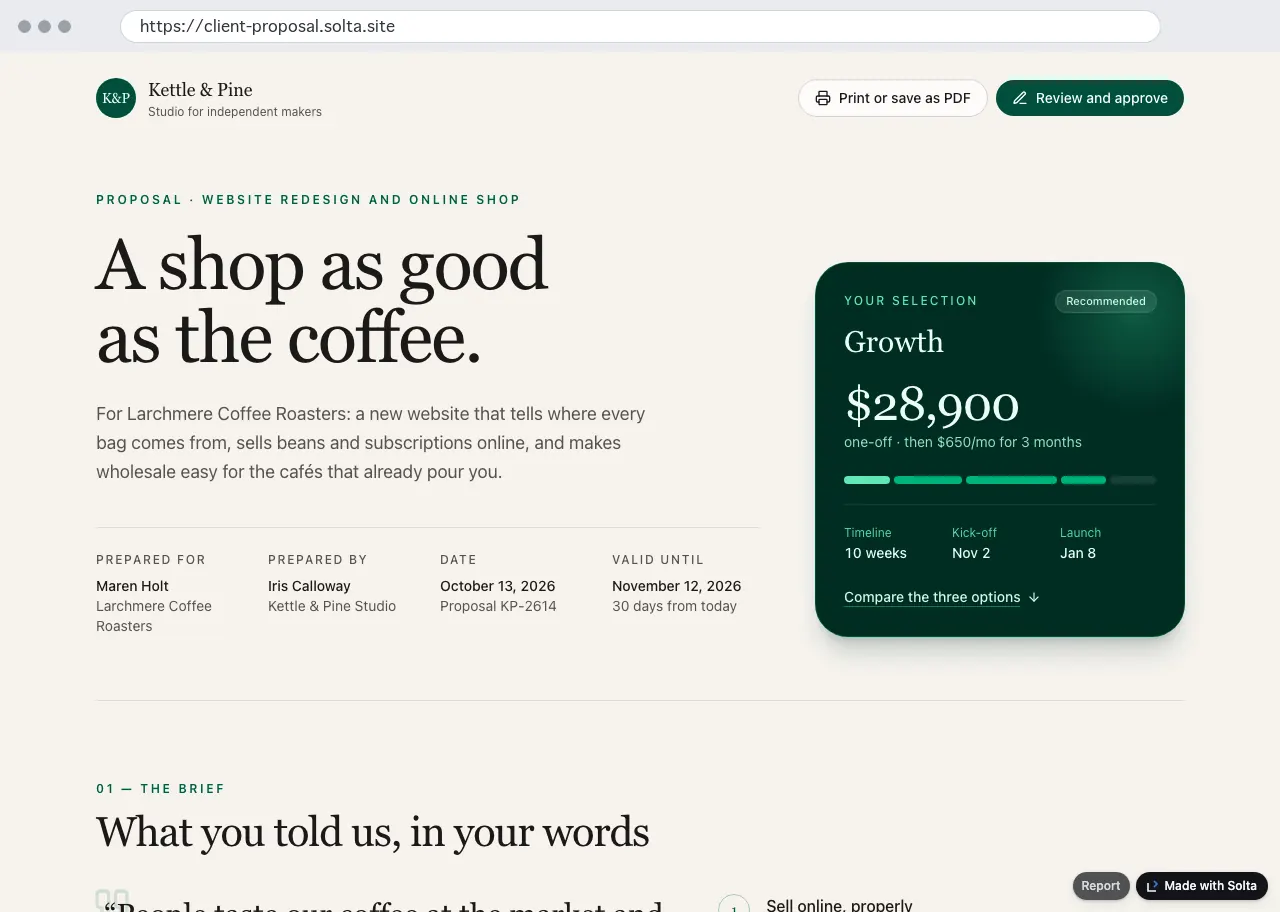
What your client sees, signed out and with no account: the site on its own, at its own address.
Choose who can open it
- Unlisted, on every plan
- Anyone with the link, and search engines are asked not to index it. It is not a secret: anyone you send it to can send it on.
- Password, on every plan
- Solta asks for the password before it sends any of the site. Send the password apart from the link, by another channel. More on what makes a password protect a page.
- Invited, on Pro and Team
- Only the email addresses you invite. Each person verifies their address once, with no account and no password.
- Not Private
- Private, on every plan, is for you and the people who work on the site. An invited viewer can't open it, so it is the wrong choice for a client.
When you change it
An update is saved as a new version, and the link keeps showing the old one until you publish the new one, so your client never opens a change you haven't finished. Every published version keeps its own address. Free keeps the last 5; Pro and Team keep all of them.
Your client never pays and never needs an account. Viewers are free on every plan, and only the people who publish are paid for. How links and versions work.
If it uses Claude while people use it
Some pages Claude builds ask Claude something when a button is pressed. In Claude, those parts need the viewer signed in and count toward the viewer's own usage, as the same help article says. Anywhere else they don't work as written: the page has to call a model through its own address instead, with your key or with each visitor's own. How a site calls a model.