

Updated
How to Make a QR Code Menu You Can Update
By João Saraiva
A QR code menu is your menu at a link, with a printed code that opens the link on a customer's phone. If you run a café or a small shop, put the menu online as a PDF or a one-page site, copy its address, and make the code from that address. If the address stays the same when you change a price, you print the code once. Casa Mimo, a small business that is just starting, keeps its prices at one Solta link while sales happen over messages.
See it work
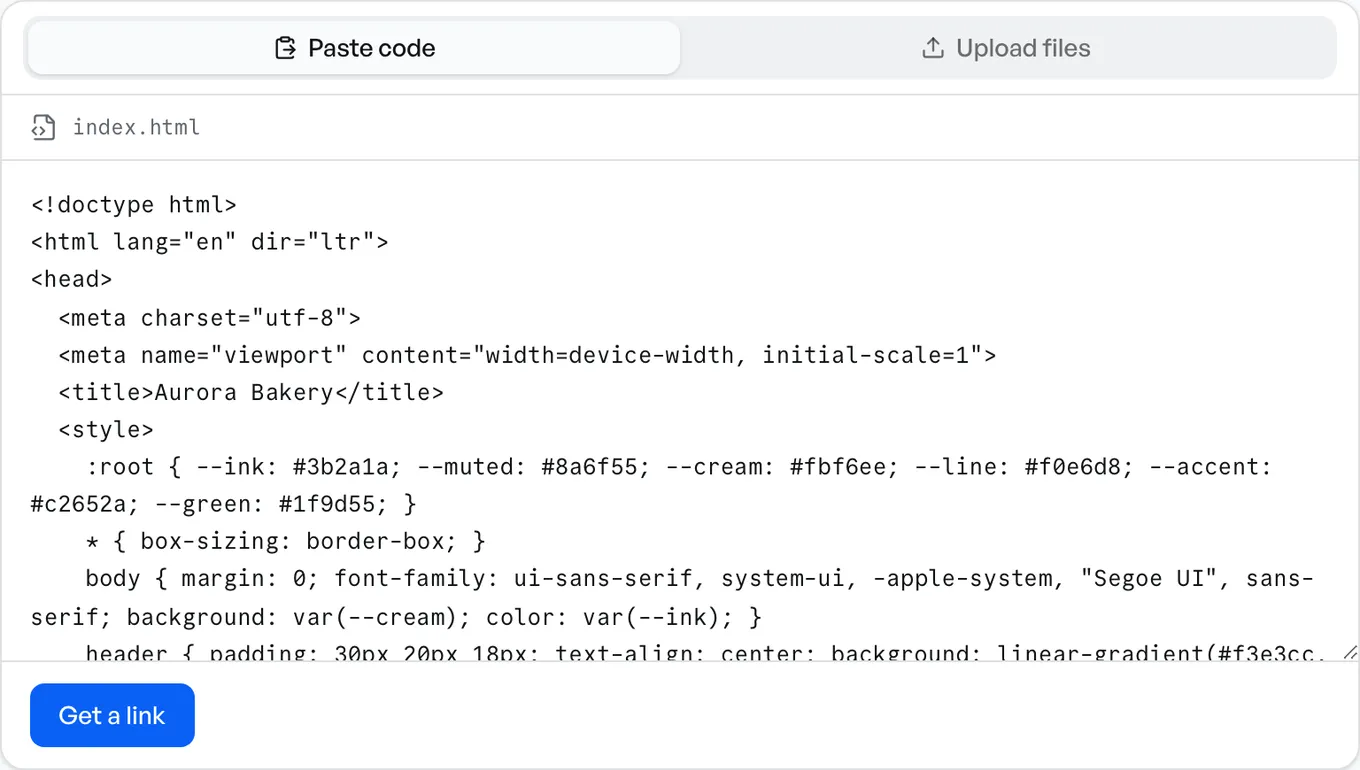
- 1Paste the page
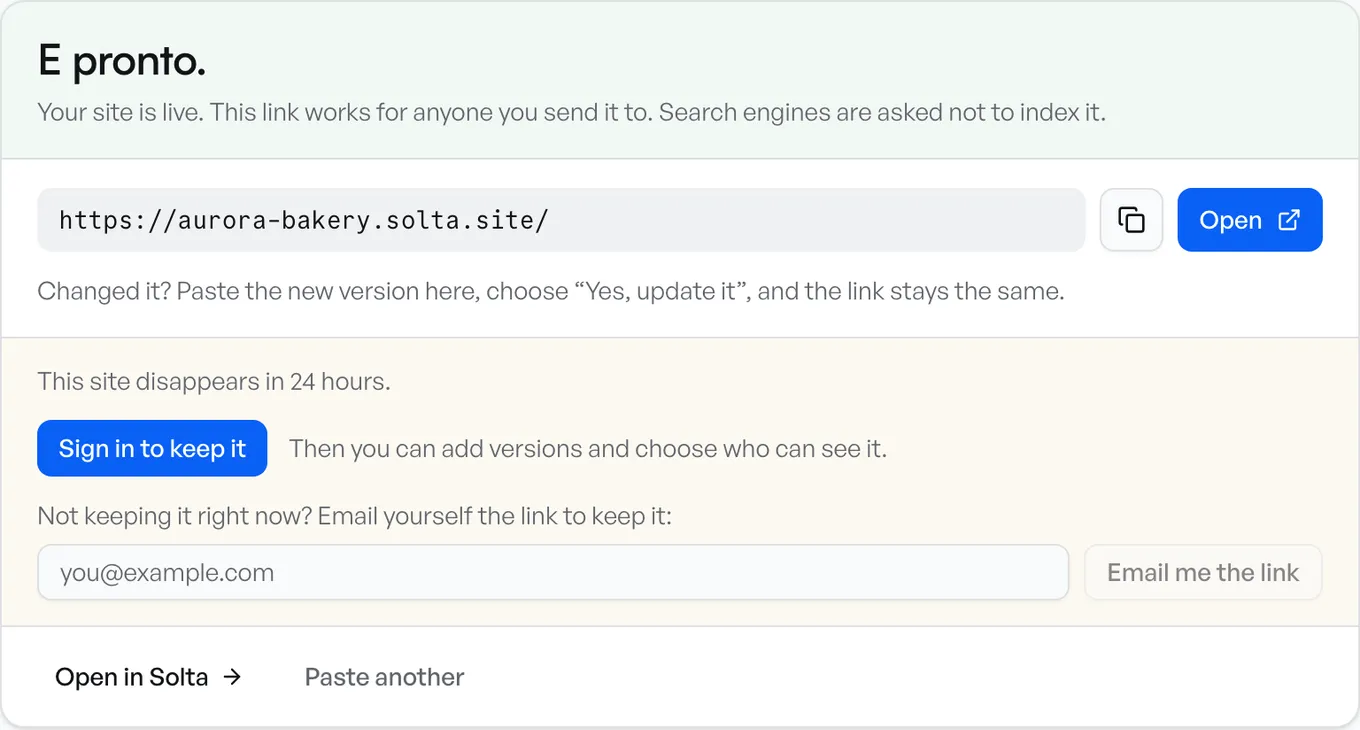
- 2Get the link
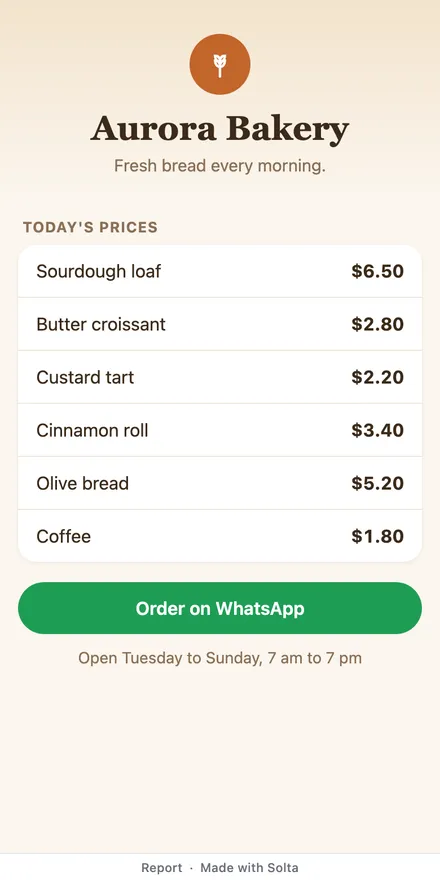
- 3Anyone can open it
What the Code Holds
A QR code can hold text or binary data directly. The code in this guide holds the menu's online address. A phone's camera reads the code and offers to open that address. If the address stays the same, you can change the online menu without reprinting the code.
QR Code Generator, for one, offers two kinds. Its own page says a static code cannot be edited once it is made, and a dynamic code can be updated even after it is printed. Before you print a dynamic code, check what happens to it if you leave the service that made it.
A static code made from an address that never changes does the same job. What you need is an address that stays the same when the menu changes.
A PDF Menu on Google Drive
- Upload the menu as a PDF to Google Drive.
- Share it so that anyone with the link can view it, and copy the link.
- Paste the link into a QR code maker and download the code.
When a price changes, upload the new PDF onto the old file with Upload new version, which Google's help page describes as replacing the file. Replace the file this way every time, so the code keeps opening it.
A PDF laid out for paper opens small on a phone, so people pinch and zoom to read each line.
A Menu Service
If you use a menu service, check two things before you sign up: what the free plan includes, and whether the printed code keeps working if you leave.
A Menu Page on Solta
- Make the menu as one page. Ask Claude or ChatGPT for a one-page menu for your café that reads well on a phone, with your dishes and prices, or start from the price list template.
- Paste what it made into the box and press Get a link. A menu you already have as a PDF goes on PDF to link.
- Sign in to keep the site. One made without an account lasts 24 hours, which is too short for a printed code.
- Open the site's More menu and choose QR code. Download SVG stays sharp at any size for print, and Download PNG is for a screen or a small print.
When a price changes, publish the new menu to the same site. The link stays the same, so the code on the table opens the new menu from then on. Casa Mimo's price list is one Solta site at one link.
Every plan counts the scans in the site's stats. Give a code a Name, such as window or table 4, before you download it, and print a different code for each place. Seeing which code was scanned is on Pro and Team.
Before You Print the Code
- Scan it with two phones, an iPhone and an Android if you can, and check that the menu opens and reads without zooming.
- Change one price, publish it, and scan again. If the old price still shows, the code opens a different address than you think.
- Print the menu's address in small letters under the code, for anyone whose camera won't read it.
Sources
Each company's facts are what its own pages said when we read them, on 14 November 2026:
- QR Code Generator: its questions on static and dynamic codes
- Google Drive: upload a new version of a file
Questions
How do I make a QR code for my menu?
Put the menu online first, as a PDF or a one-page site, and copy its address. Then make a QR code from that address and print it. On Solta, the code comes from the site's own More menu, ready to download.
Can I change the menu without changing the QR code?
Yes, as long as the address the code opens stays the same. Publish the new menu to the same Solta site, or upload it onto the old file in Google Drive with Upload new version. A menu at a new address needs a new code.
Do I need a dynamic QR code?
Only if the address it opens might change. A static code made from an address that stays the same keeps working for as long as that page is online, with no QR service in between.
Is a QR code menu free?
Making the code is free on Solta. The menu has to stay online for the code to work, so on Solta, sign in. A site made without an account lasts 24 hours.
Can I see how many people scanned it?
On Solta, every plan counts scans, and Pro and Team also show which named code was scanned. QR Code Generator's page says its static codes can't be tracked.