

Updated
How to Open an HTML File on iPhone
By João Saraiva
If Claude, ChatGPT or a client gave you an HTML file, your iPhone opens it from the Files app. Save the file there and tap it. If the page's buttons do nothing, open the file in Solta's free HTML viewer in Safari. The viewer runs the page and its scripts, the code that makes those buttons work. To show the page to someone else, send a link.
See it work
- 1Get the link
- 2Anyone can open it
Save the HTML File to the Files App
Put the file in the Files app first.
- From Mail: touch and hold the attachment, then choose Save to Files.
- From Safari: a file you downloaded is already in Files, in the Downloads folder.
To find it later, open Files, tap Browse, then Downloads.
Tap the File to Open It
In Files, tap the file. Apple's guide says that if you haven't installed the app that created a file, a preview of the file opens in Quick Look.
What you see depends on the page. A calculator, a form, a quiz or a game needs a browser that runs it.
Why the Page Looks Broken on Your iPhone
Check which of these matches what you see.
- The page loads files that sit beside it, such as
style.css, pictures or fonts. You saved only the.htmlfile, so the colors and pictures aren't there. Ask for the whole folder, or a.zipof it. - The page needs its scripts to work. If they don't run where you opened it, use the viewer in the next section.
- The file is a React component from Claude or ChatGPT, often a
.jsxfile that starts withimportlines. It has to be built into a page before anything can show it, and the JSX viewer does that.
Open the File in Solta's HTML Viewer, in Safari
Solta's HTML viewer is a free page that opens an HTML file and runs it, with no app and no account.
- Open solta.now/html-viewer in Safari.
- Tap Open a file and choose the file you saved.
- The page runs, scripts included. On a phone, Code and Page take turns on the screen.
- If something still doesn't work, Console, under the page, lists the errors and the files the page could not load.
For a page with its pictures and stylesheet in a folder, make a .zip of the folder first. In Files, touch and hold the folder, then tap Compress. Open the .zip with Open a file, and the page shows with all its files.
Send the Page as a Link
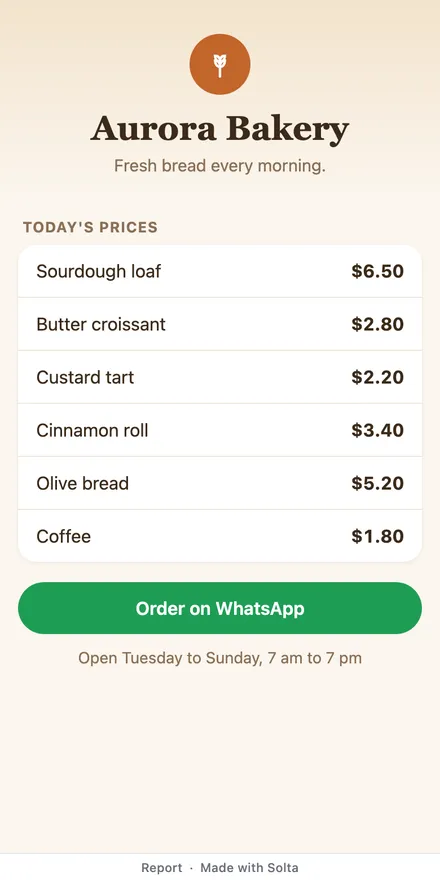
If the page is for a client or your team, they would have to save the file and open it too. A link opens in any browser, with nothing to save first.
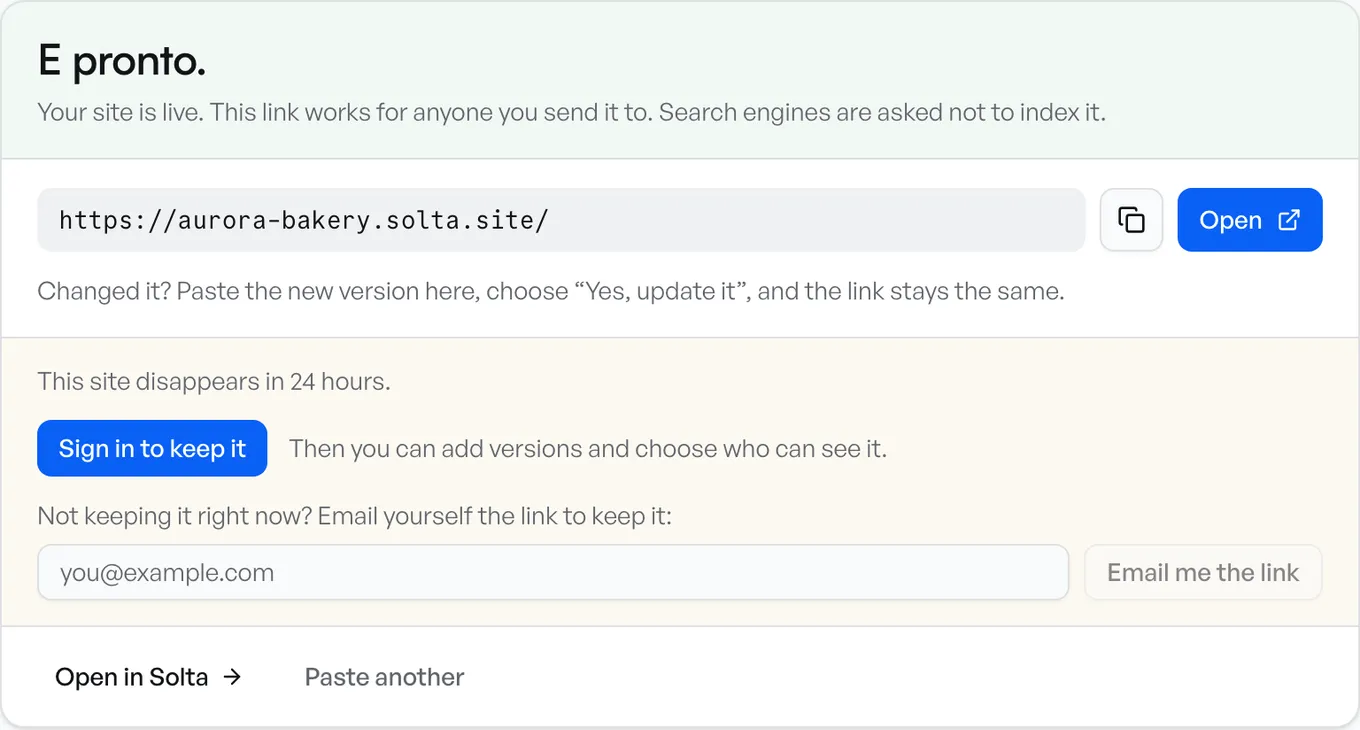
- In the viewer, tap Get a link. The page goes live as a site at its own address, and anyone can open it without an account.
- Copy the link and send it. A site published without an account stays up for 24 hours.
- Sign in to keep the site, from the card that shows the address. The link stays the same.
Sources
What the iPhone does is what Apple's iPhone User Guide said when we read it, on 17 November 2026:
- Find and view files and folders in Files
- Download email attachments in Mail
- Find your downloaded files
- Organize files and folders
Questions
Will the page remember what I type into it?
Only if the page saves it. In Solta's HTML viewer, what the page saves is kept until the page reloads. Once you publish the page with Get a link, the site keeps what each visitor types in that visitor's own browser.
Is my file uploaded when I open it in Solta's HTML viewer?
No. The viewer reads the file on your phone and runs it in a closed-off part of the page. Nothing is sent to Solta until you tap Get a link.
Does Solta's HTML viewer work on an iPad?
Yes. Open it in Safari. When the screen is wide enough, Side by side shows the code and the page together.
Can I edit an HTML file on my iPhone?
Yes, in Solta's HTML viewer. Change the code in Code, then switch to Page to see the change. Get a link publishes the changed page.
Why does my HTML file show code instead of the page?
An HTML file is the code of a page. An app that reads it as text shows that code, and a browser draws the page from it. Solta's HTML viewer draws the page in Safari, and Code shows the text again.