

Updated
How to Turn a Video Into a Link
By João Saraiva
YouTube, Google Drive and Solta each turn a video into a link you can send, and which to use depends on how long the video is and who watches it. YouTube set to Unlisted suits a long video, since anyone with the link can watch it and it stays out of search. Google Drive suits a file you already keep there. For a short clip you send to a client, a folder on Solta plays it in Solta's own player, and nobody has to sign in. One file can be up to 10 MB on Free, 25 MB on Plus and 100 MB on Pro and Team, so check the clip's size first. When you publish a new version, the Solta link stays the same.
See it work
- 1Get the link
- 2Anyone can watch it
Unlisted on YouTube
YouTube takes videos up to 15 minutes long by default, and longer ones once the account is verified. Its help puts the largest file at 256 GB or 12 hours, whichever is less.
- Sign in to YouTube Studio, select Create in the top right corner, then Upload videos, and choose the file.
- To make it unlisted, select Content in the left menu, open the arrow under Visibility, choose Unlisted and select Save.
- Copy the video's link and send it.
An unlisted video doesn't appear in your channel's Videos tab or in YouTube's search results, unless someone adds it to a public playlist. Anyone who has the link can watch it without a Google account, and can share the link with other people.
With Google Drive
- Upload the video to Drive.
- Select it and select Share.
- Under General access, choose Anyone with the link.
- Leave the role on Viewer, select Copy link, then Done.
Anyone with that link can open the file without signing in to a Google account. Drive plays .mp4, .mov, .webm and several other formats, at up to 1920 x 1080.
Right after the upload, Drive may still be processing the video for other people, even if it already plays for you. Until it finishes, they see "Video is still processing. Try again later." Wait a while after the upload before you send the link.
As a Link on Solta
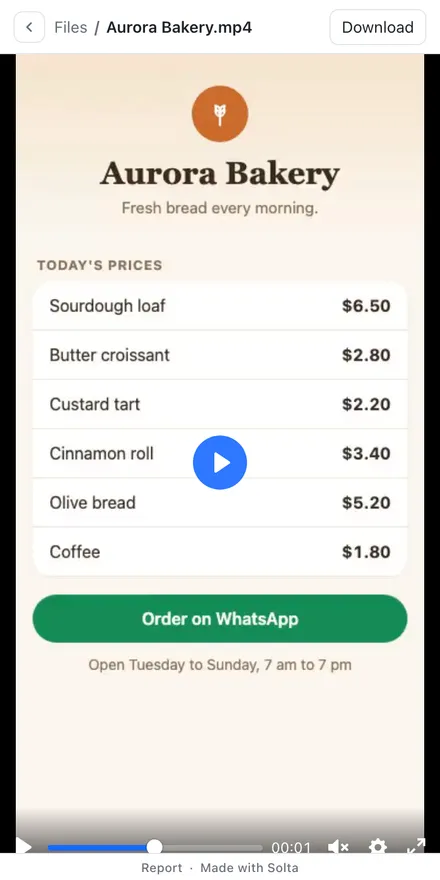
On Solta, a video goes in a folder. The link opens on the folder, and the video plays in Solta's own player.
- Put the video in a folder. Files in .mp4, .mov, .m4v, .webm or .ogv open in the player, and one file can be up to 10 MB on Free, 25 MB on Plus and 100 MB on Pro and Team.
- Open the box, go to Upload files and use Choose folder, or drop the folder or a .zip of it.
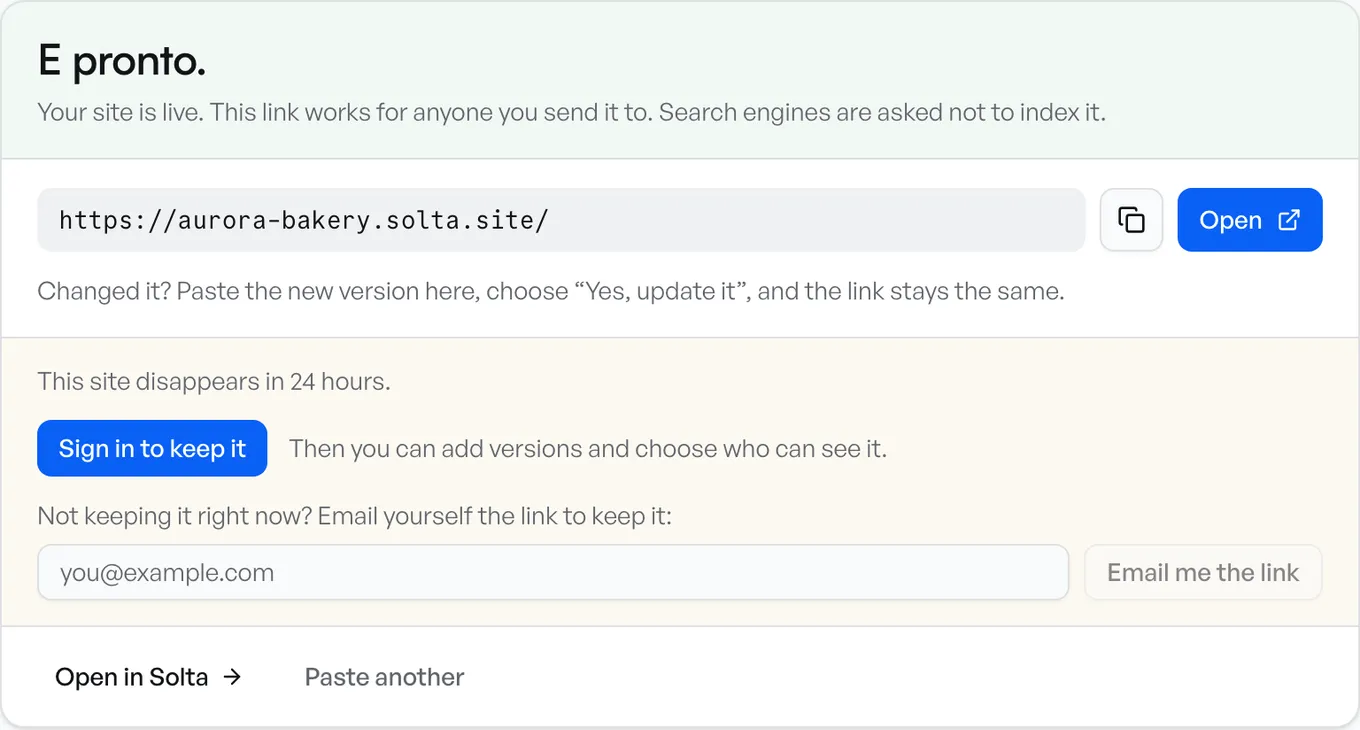
- It publishes as soon as you choose it. When the folder has no web page in it, the link opens on a list of its files, and the video plays when someone opens it.
- Sign in to keep the site. One made without an account lasts 24 hours.
In the player, the viewer can change the speed from 0.5x to 2x, watch full screen, skip ahead, and watch picture in picture on a computer. The bar above the player has Download for the file and the way back to the folder, and the player works on an iPhone too. A file the browser can't play still opens in the player, and Download in the bar saves it.
A whole folder can be up to 10 MB on Free, 50 MB on Plus and 250 MB on Pro and Team. A video from a phone can be bigger than these limits, so trim the clip or export it smaller first, or put a longer one on YouTube.
When you have a new version of the video, publish it to the same site. The link stays the same, so whoever has it sees the new version, and earlier versions are kept, the last 2 on Free. How links and versions work.
A PDF, a Word document or a spreadsheet in the same folder opens as pages to read, with Download for the original. How to share a Word document.
Which Way to Use
- A long video, or one past the size limits on this page: YouTube, set to Unlisted.
- A video already in your Google Drive: Drive, shared with anyone who has the link.
- A short clip for a client, at one link with the other files you're sending them: a folder on Solta.
- A video you'll replace with a new version, at the same link: Solta.
Sources
Each company's facts are what its own pages said when we read them, on 19 November 2026:
- YouTube: upload videos and upload videos longer than 15 minutes
- YouTube: change video privacy settings
- Google Drive: share files
- Google Drive: play video files
Questions
How do I turn a video into a link?
Upload it to YouTube and set it to Unlisted, upload it to Google Drive and share it with anyone who has the link, or put it in a folder on Solta, where it plays in Solta's player. Then copy the link and send it.
Can someone watch the video without an account?
With all three ways on this page, they can. An unlisted YouTube video and a Drive file shared with anyone who has the link open without a Google account, and a Solta link opens in any browser.
Is an unlisted YouTube video private?
Only in part. It stays off your channel's Videos tab and out of YouTube's search, but anyone with the link can watch it and share it with others, and it can appear in search if someone adds it to a public playlist.
How big can the video be?
On YouTube, up to 256 GB or 12 hours, and longer than 15 minutes only once the account is verified. On Solta, one file can be up to 10 MB on Free, 25 MB on Plus and 100 MB on Pro and Team.
Can I replace the video and keep the same link?
On Solta, publish the new version to the same site and the same link plays it. Earlier versions are kept, the last 2 on Free.